
Customize Your Gmail Inbox with Privacy Protection
Overview
Gmelius is a browser extension designed to enhance the functionality of Google Inbox, offering users a more personalized and secure email experience. The software is tailored for individuals seeking greater control over their inbox, particularly those managing multiple Gmail accounts or concerned about email tracking. By integrating seamlessly with the browser, Gmelius introduces key features such as signature management, tracker detection, and streamlined unsubscribe processes. These capabilities help users improve productivity while safeguarding their privacy.
Targeted at professionals, remote workers, and privacy-conscious individuals, Gmelius addresses common pain points associated with email overload and invasive tracking practices. The extension allows users to import and manage multiple Gmail signatures, enabling consistent branding across different accounts. It also blocks third-party trackers that monitor email open rates, providing users with greater transparency about who is monitoring their digital activity. Real-world usage scenarios include managing client communications, reducing spam newsletters, and maintaining a clean, organized inbox.
The developer, Gmelius, has emphasized a privacy-first approach, stating that no data is stored, altered, or transmitted from the user’s inbox. All processing occurs locally on the user’s device, ensuring that sensitive information remains under their control. The software is currently in beta, indicating that while it offers robust functionality, occasional bugs or glitches may occur. Users are encouraged to report issues via the official support email.
Key Features & Capabilities
- Import and Manage Multiple Gmail Signatures – Users can import signatures from different Gmail accounts and apply them automatically based on context or recipient. This is especially useful for professionals managing both personal and business emails.
- Automatic Detection and Blocking of Email Trackers – Gmelius identifies embedded tracking pixels and blocks them before they can send data back to the sender. This protects user privacy by preventing unauthorized monitoring of email opens and read times.
- One-Click Unsubscribe from Newsletters – When a newsletter or mailing list is detected, a dedicated unsubscribe link appears directly in the email. This simplifies the process of opting out of unwanted communications without navigating external websites.
- Privacy-First Architecture – The extension operates entirely client-side with no server-side code. All data processing happens locally, ensuring that no personal information is transmitted or stored externally.
- Regular Updates and Bug Fixes – The development team releases frequent updates to improve performance, add new features, and resolve reported issues, maintaining a high standard of quality.
These features collectively enhance email workflow efficiency. For example, a marketing professional can quickly switch between personal and company signatures without manual copying. A privacy-focused user benefits from automatic tracker blocking, reducing exposure to data collection practices. The one-click unsubscribe function saves time and reduces inbox clutter, contributing to a more streamlined communication experience.
User Interface, Workflow & Performance
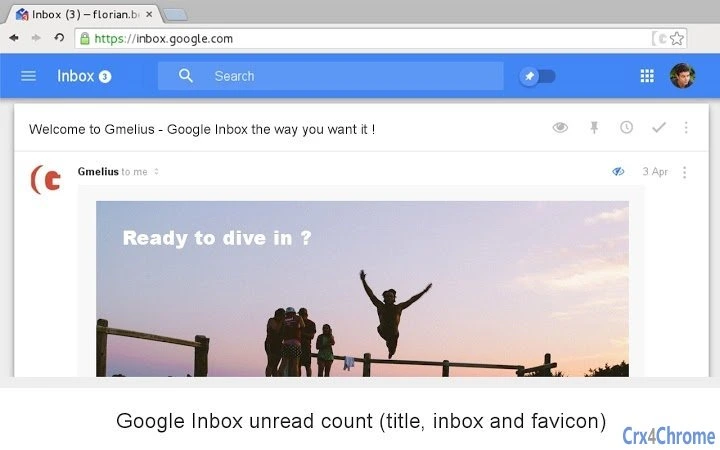
The user interface of Gmelius is designed to be minimal and intuitive, aligning with the clean aesthetic of Google Inbox. Access to the extension’s settings is available through the browser’s toolbar, where users can toggle features on or off based on their preferences. The options screen provides clear navigation and straightforward controls, making it easy to configure signature imports and privacy settings.
Workflow integration is seamless. Once installed, the extension activates automatically and begins monitoring incoming emails without requiring additional user input. Features like tracker blocking and unsubscribe detection operate in real time, enhancing the user experience without disrupting normal email usage.
Performance details were not specified by the developer. However, given the extension’s small file size of 1.2 MB and client-side operation, it is expected to have minimal impact on browser performance. The developer did not provide specific information on CPU or RAM usage. Stability is generally high for browser extensions of this nature, though the beta status indicates that occasional glitches may occur. Users are advised to report any issues to the support team.
Compatibility & System Requirements
Gmelius is compatible with Windows, Mac, and Linux operating systems, making it accessible to a broad user base. It is designed as a browser extension, meaning it integrates with modern web browsers that support extensions, such as Chrome, Firefox, and Edge. The software version is 2.4.0, with a file size of 1.2 MB, indicating a lightweight installation.
Exact system requirements were not listed. The developer did not specify minimum processor speed, RAM, or storage capacity. However, since it operates as a browser extension and runs locally, it is expected to function on most modern devices with standard web browser capabilities. Compatibility information is limited to the supported platforms and the fact that it is designed for Google Inbox.
Pros and Cons
Pros
- Enhances email privacy with tracker blocking
- Supports multiple Gmail signatures across accounts
- Streamlines unsubscription from newsletters
- Completely free during beta phase
- Operates entirely on the user’s device with no data transmission
Cons
- Currently in beta, so occasional bugs may occur
- Only works with Google Inbox, limiting broader applicability
- No official support for mobile devices
- Feature set may be reduced or monetized in future versions
- Requires browser extension installation and activation
FAQ Section
Is Gmelius compatible with all email services?
Gmelius is specifically designed for Google Inbox and does not support other email platforms such as Outlook or Yahoo Mail.
Is the extension safe to use?
Yes. Gmelius operates entirely on the user’s device with no server-side code. It does not store or transmit any data from your inbox, ensuring your privacy is protected.
How often are updates released?
The development team releases updates regularly to introduce new features, fix bugs, and improve overall performance.
Will Gmelius become a paid service in the future?
While the extension is currently free during the beta phase, some features may be moved to a premium tier in the future.
Can I use Gmelius on mobile devices?
Currently, Gmelius is only available as a browser extension and does not support mobile email clients.
Final Thoughts + CTA
Gmelius stands out as a privacy-focused tool that brings meaningful enhancements to Google Inbox. Its ability to block email trackers, manage multiple signatures, and simplify unsubscriptions makes it a valuable asset for professionals and privacy advocates alike. Despite being in beta, the extension delivers a stable and intuitive experience with no compromise on data security.
While its exclusive reliance on Google Inbox limits its reach, the software excels within its niche. For users seeking a secure, customizable inbox without external data exposure, Gmelius offers a compelling solution. The free availability during the beta phase adds significant value.
Download Gmelius now to take control of your inbox and protect your privacy with every email.







